
Notifications and alerts
SageFin tells you when something in your money needs a look: a bank that has stopped updating, a charge bigger than you expected, a budget running out. This article covers what each alert means and where you choose how it reaches you.
Everything here is in Settings → Notifications.
Your notifications are yours
The money belongs to the household, but notifications belong to each person. Every member of a household gets the alerts about the shared accounts, budgets and bills — and each one chooses for themselves which of those they want and how. Turning an alert off for yourself does not turn it off for anybody else.
Where an alert can reach you
Each alert has a switch for each place it can go, laid out as a grid: alerts down the side, places across the top. Turn all on at the top of a column switches on everything in it.
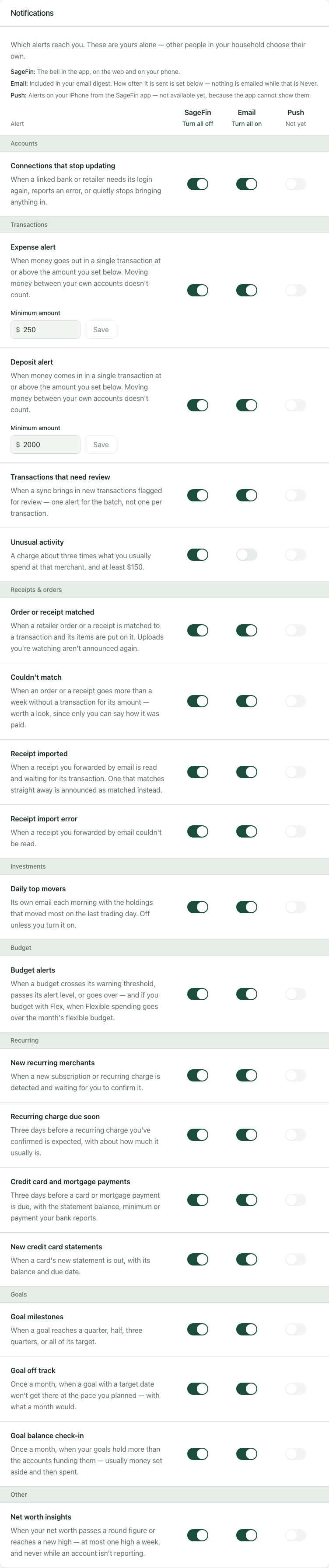
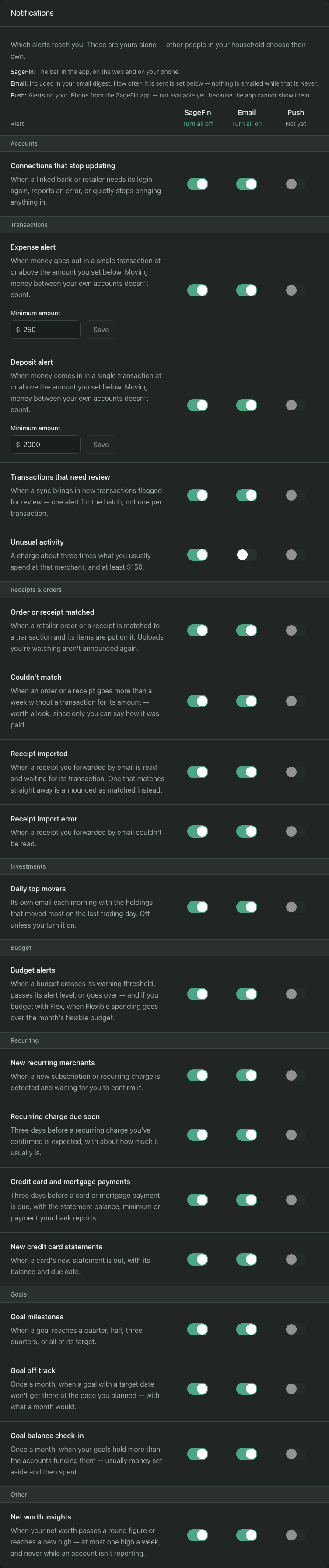
SageFin is the bell, on the web and on your phone. Every alert starts switched on here. Mark all read and Clear all are in the bell's panel. Turning an alert off here stops new ones from appearing; it does not hide the ones you already have.
Email means include this in my email digest. The digest is a single message listing what arrived since the last one — never one email per alert — and it starts off. Choose Every day or Every week under Email digest on the same page; both arrive around 8 in the morning, your time, and the weekly one on Mondays. Only alerts you have not already read in the app are included, and if there is nothing new, no email is sent. Every digest links back to this page.
Push is shown so the grid has the shape it will keep, but it cannot be turned on yet: the iPhone app does not show alerts on its own. When it can, this column will switch on.
The alerts
Accounts
Connections that stop updating — a linked bank or retailer that needs attention. That covers three situations:
- the login has expired, and whoever linked it needs to sign in again;
- the bank or retailer is reporting an error that signing in will not fix;
- it has quietly stopped bringing anything in — no successful update for three days. This applies to banks and cards. Retailers are not watched this way: their orders arrive when SageFin Desktop syncs them from your own computer, and a computer that is off or asleep is not a problem to alert you about.
For a retailer, you hear about the two things only you can fix. If the retailer turns a sync away, its daily sync stops on every one of your computers until you press Sync now in SageFin Desktop. If a sync meets the retailer's sign-in page, that computer cannot sync it until you sign in there; the alert names the computer. Each is sent once, not at every attempt, and again only if it happens anew after the retailer has synced successfully.
Where a bank tells SageFin the date its permission ends, you also hear about it two weeks ahead, while the connection still works, so you can renew it before it stops.
The alert names the institution and whose login it uses, because only that person can sign in again. You get one alert per problem, not one per day, and it clears itself once the connection works again. If a connection stays broken for a month, you are reminded once more. Apple Card is the one exception to the "quietly stopped" rule: it only updates when the iPhone app is opened, so silence there is expected. It still tells you if it breaks. See When an account stops updating for what to do about each.
Transactions
Expense alert — a single transaction taking money out at or above the amount you set.
Deposit alert — a single transaction bringing money in at or above the amount you set.
Each has its own Minimum amount field under its row, so "any paycheck over $2,000" and "any charge over $200" can both be said. Both start at $250. Money moved between the household's own accounts is neither — paying a card from checking will not set either one off.
Transactions that need review — an update brought in new transactions flagged for your review. You get one alert for the batch, not one per transaction, and opening it shows just those transactions rather than everything waiting for review.
Unusual activity — a charge about three times what you usually spend at that merchant, and at least $150. It compares a merchant against your own history with it, so a routine rent payment is not unusual just because it is large. A merchant you have never used before is not flagged for that alone. Only money going out counts, only recent transactions are looked at, and one update will never send more than a handful.
Receipts & orders
Order or receipt matched — an order from a linked retailer, or a receipt, has been matched to its card charge and its items put on the transaction. Receipts you upload yourself are not announced again, because the upload already tells you how it went.
Couldn't match — an order has gone a week past its date, or a receipt ten days, with no transaction for its amount. Worth a look: it may have been paid another way, and only you can say. Orders from before your bank history starts are left alone. See Amazon and Walmart orders.
Receipt imported — a receipt you forwarded by email has been read and is waiting for its transaction. One that matches straight away is announced as matched instead, so one email never produces two alerts.
Receipt import error — a receipt you forwarded by email could not be read. See Emailing receipts into SageFin.
Investments
Daily top movers — its own email each morning, from about 7am your time, listing the holdings that moved most on the last trading day. It is the one alert that is an email of its own rather than part of the digest, so it is off until you turn it on, and Turn all on leaves it alone. Holdings without a price are left out, and nothing is sent when there are no fresh prices.
Budget
Budget alerts — a budget reaching 80% of its amount, then 90%, then going over. Each step is announced once per budget period, so a monthly budget can alert again next month.
If you budget with Flex, the same switch covers your flexible budget: you are told once in a month when spending in your Flexible categories goes over it, rollover included, exactly as the Budget page shows it. A flexible budget that has not been set is not treated as a budget of $0.
Recurring
New recurring merchants — SageFin has found what looks like a subscription or regular bill and is waiting for you to confirm it. See Recurring bills and subscriptions.
Recurring charge due soon — a reminder three days before a recurring charge you have confirmed is expected, with about how much it usually is. You get one reminder per expected charge, and none if it has already arrived early. Charges you have not confirmed yet, and income, are not included.
Credit card and mortgage payments — a reminder three days before a card or mortgage payment is due, with the statement balance, minimum payment or monthly payment your bank reports. It names only the figures the bank gave, so a reminder may say just when the payment is due. You are not reminded about a card you have paid since its last statement, a card that owes nothing, or an account you have hidden. It works for accounts whose bank shares this detail; not every bank does.
New credit card statements — a card's new statement is out, with its balance, minimum payment and due date where the bank reports them. Each statement is announced once.
Goals
Goal milestones — a savings goal has reached a quarter, half, three quarters, or all of its target. Each milestone is announced once, so a balance that dips and recovers does not announce the same one again, and progress a goal had already made when alerts began is not announced at all. A goal whose account has stopped reporting says nothing until its balance is known again.
Goal off track — once a month, for a goal with a target date that will not get there at the pace you planned. The alert says about how much a month would reach it.
Goal balance check-in — once a month, when your goals hold more than the accounts that fund them, which usually means money you set aside has since been spent. The alert gives the size of the gap, and the Goals page shows the same figure as Short for goals. It only speaks when every goal account has a current balance, because a missing one might cover the gap. See Saving up and paying down.
Other
Net worth insights — your net worth has passed a round figure (above zero for the first time, $10,000, $100,000 and so on) or reached a new high. A high is announced at most once a week. Nothing is said while any account has no balance or has stopped reporting, and linking a new account starts the comparison afresh rather than announcing the jump.
Things the bell shows that the grid does not list
A few messages go to one person rather than the household, and have no switch because they only ever arrive in answer to something you did:
- A job you started has finished or failed — applying a rule to past transactions, a manual refresh. It goes to whoever started it, not to everyone.
- Your bank has an account you have not shared — the bank reports a new account under a login you linked. Only you can share it, so only you are told.